

User Manual
Wi-Fi Configuration
Use Wi-Fi Configuration when your Wi-Fi network name (SSID) or password changes, or when first connecting a plug to your network.
🎥 Watch: Changing Wi-Fi
There are two ways to set a plug's Wi-Fi, depending on whether it's already online.
Using pairing mode (new or offline plug)
- Put the plug into a power socket. While holding down the ON button, switch on the socket. The ON button light should start blinking — this means it's in pairing mode.
- On your phone, open your Wi-Fi settings and connect to the "Ecovolt Plug" network.
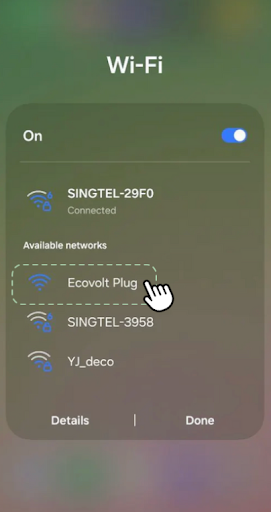
- A setup page (a captive portal) should pop up automatically. If it doesn't, open a browser and go to http://192.168.4.1.
- On the WiFiManager page, tap "Configure WiFi".
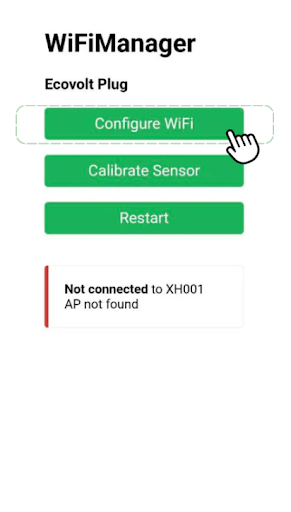
- Choose your home Wi-Fi network, enter its password, and save. The plug will restart and connect.
From the app (plug already online)
⚠️ Note: The plug must already be connected to a previous Wi-Fi network for this to work. If it isn't, use pairing mode above.
- Open the device and tap the "+" menu (bottom right), then "Send Wi-Fi Config".
- Enter your "Wi-Fi SSID" (your network name).
- Enter your "Wi-Fi Password" — leave it blank for an open network.
- Tap "Send Configuration".
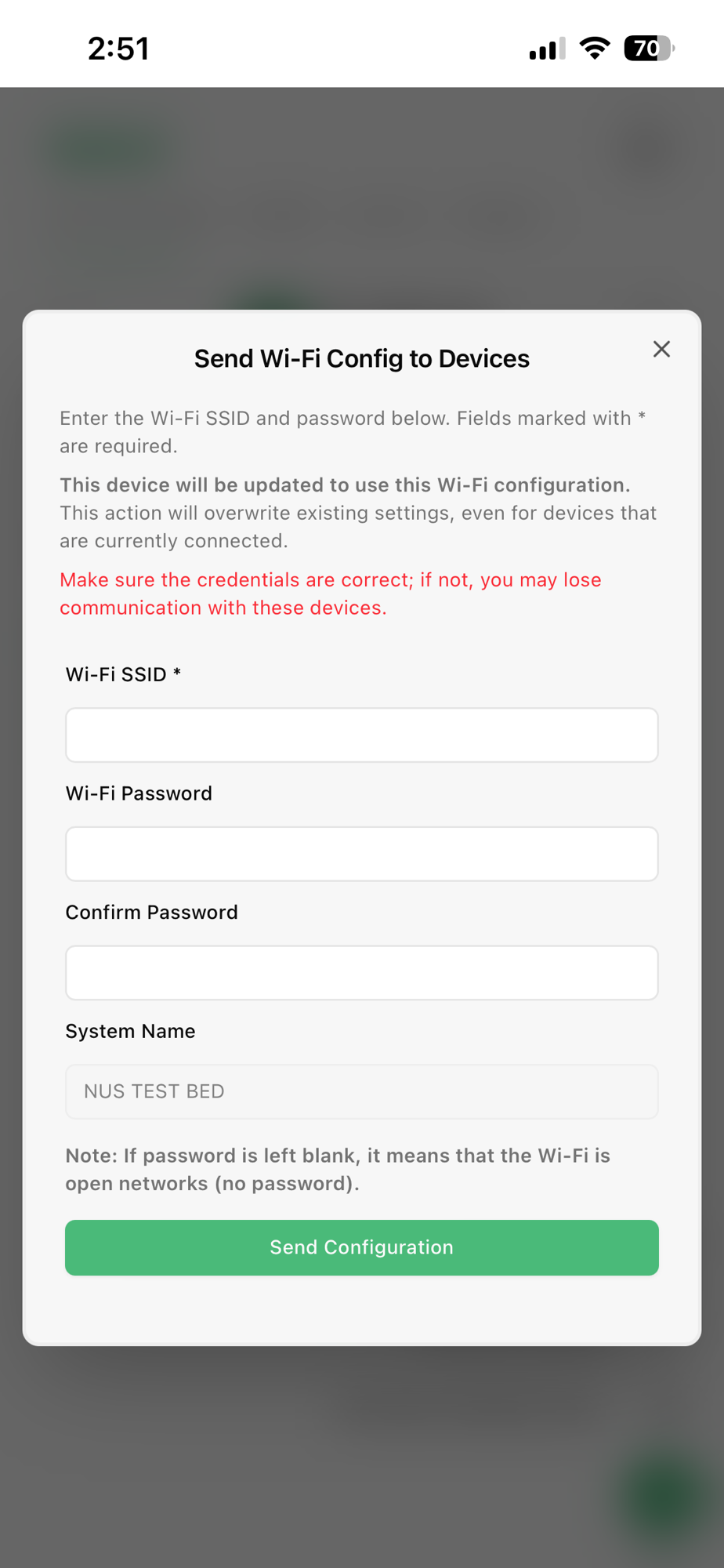
You'll see a confirmation that the configuration has been sent. The plug will reconnect using the new details.
Last modified on