How to Change My Tariff Rate?
For when the tariff rate increases/decreases overtime, you need to update this new tariff rate in Everest for accurate calculations.
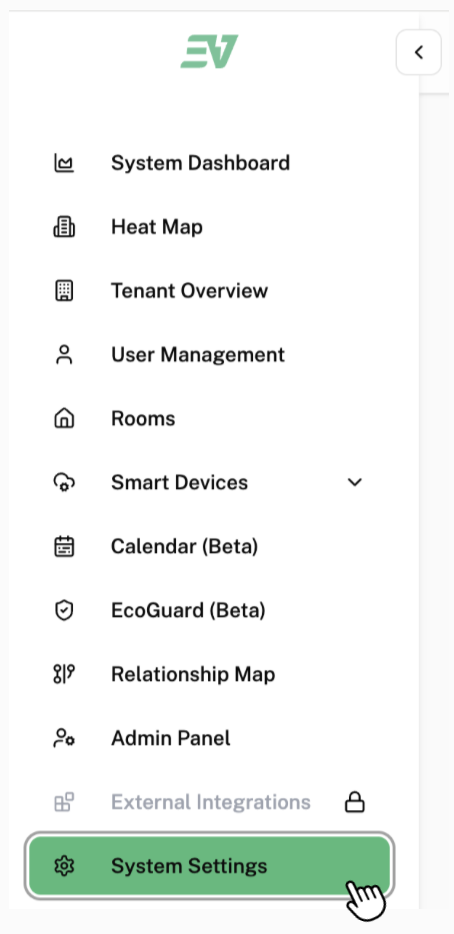
Click on "System Settings" found in the side bar.
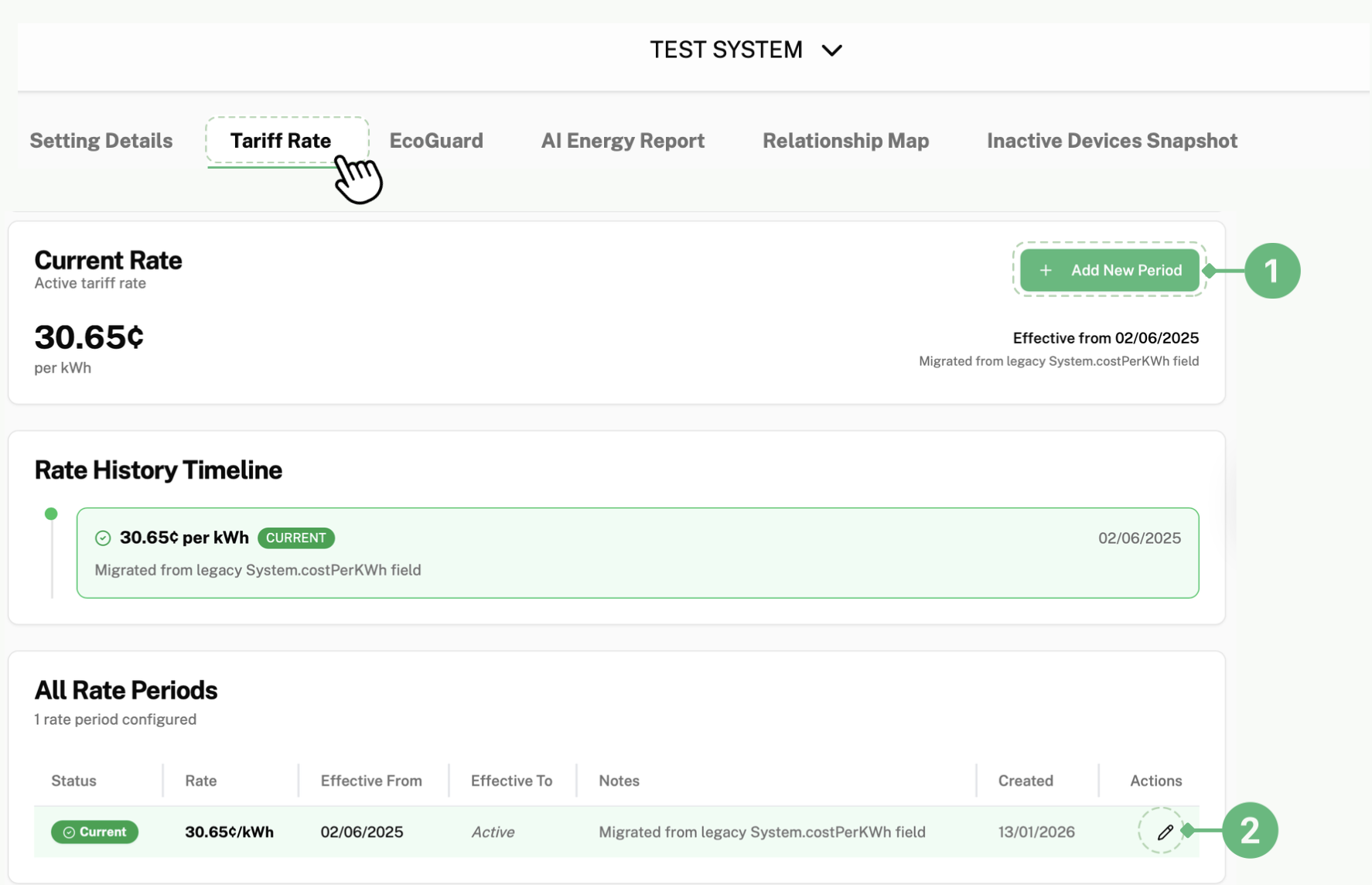
Click on "Tariff Rate" found on the top bar.

This is the page that will be displayed on your screen:
If you would like to add a new period when the new tariff comes into effect, click 1.
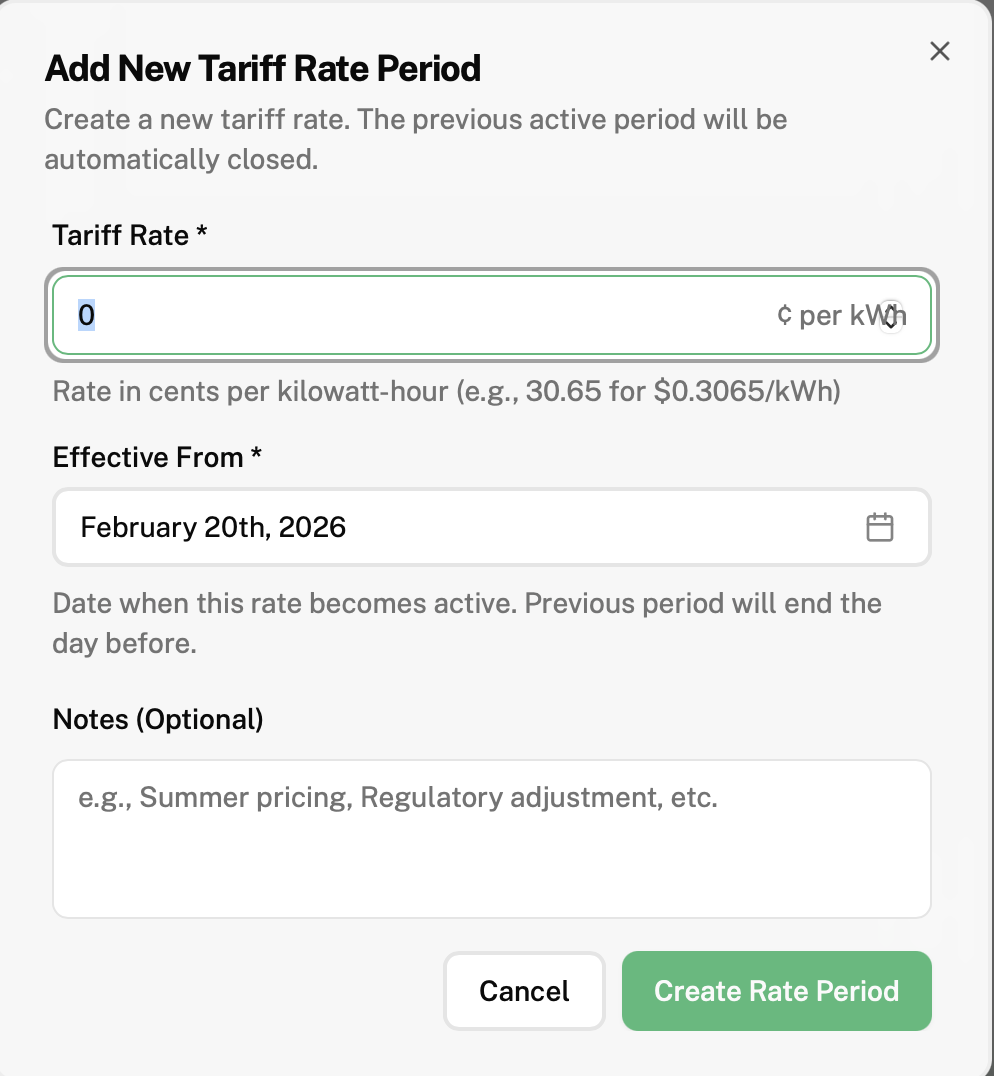
This is the pop-up that will be displayed on your screen:
"Tariff rate" fill in the new Tariff rate
Click on the box under "Effective from" and click on the date this new tariff rates takes effect
"Notes (Optional)" fill in if you have any additional notes regarding the new Tariff rate you would like to make for yourself/your company
Click "Create Rate Period" to save and add the period you just created to your Dashboard
If you would like to edit your current period (to change the current tariff rate or length of time period, click 2.
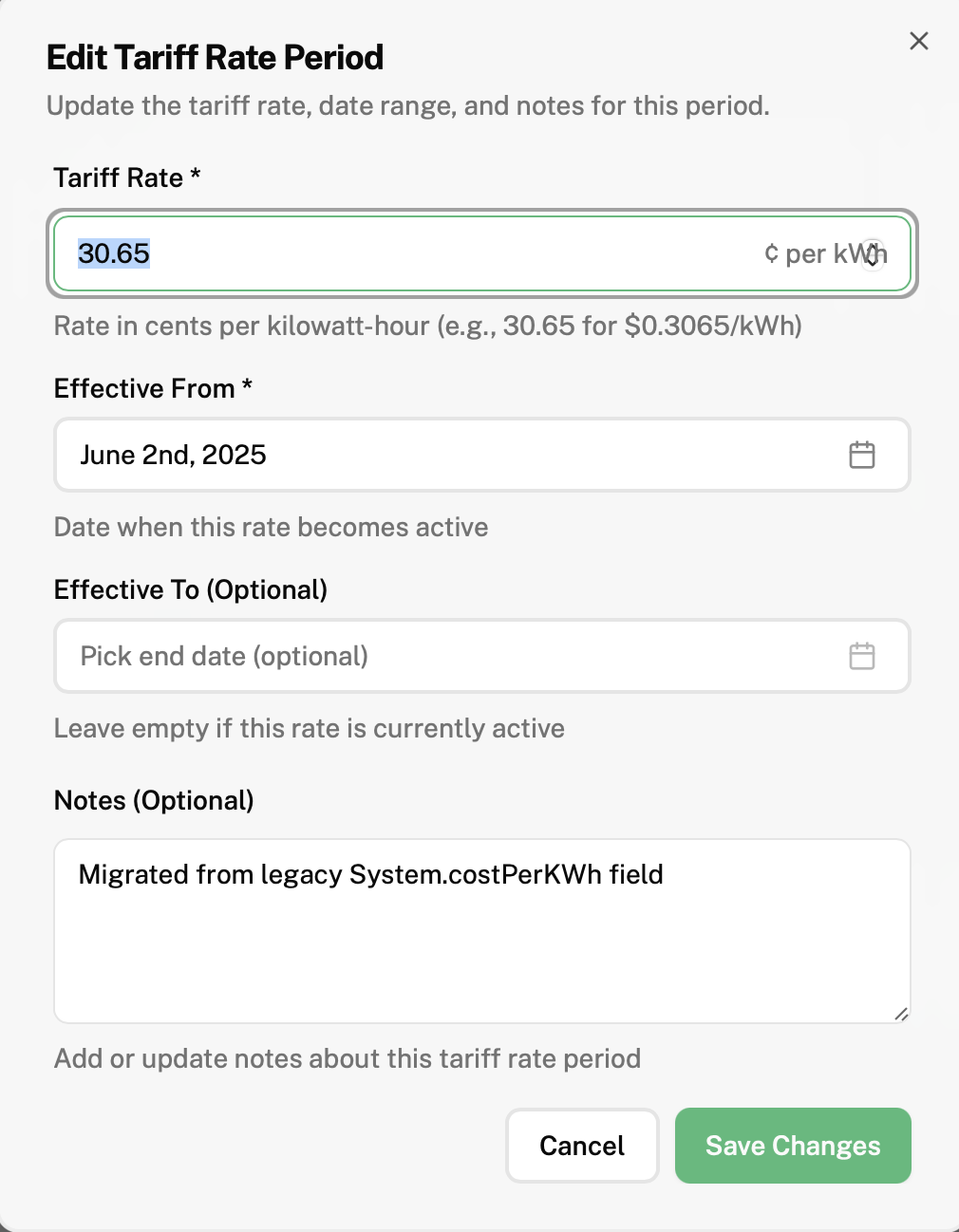
This is the pop-up that will be displayed on your screen:
Click on "Tariff rate" and type in the new tariff rate you would like to change your current period to
Click on the box under "Effective from" and click on the date this new tariff rates takes effect
"Notes (Optional)" fill in if you have any additional notes regarding the new Tariff rate you would like to make for yourself/your company
Click "Save Changes" to save the changes you have made